Log inGet Vautir

Search the help center, features, guides and more.

Your vault, on your devices only.

No account, no server, nothing sent anywhere. A local-only vault lives on your device, opens with your master password and Secret Key, and is paid for once.

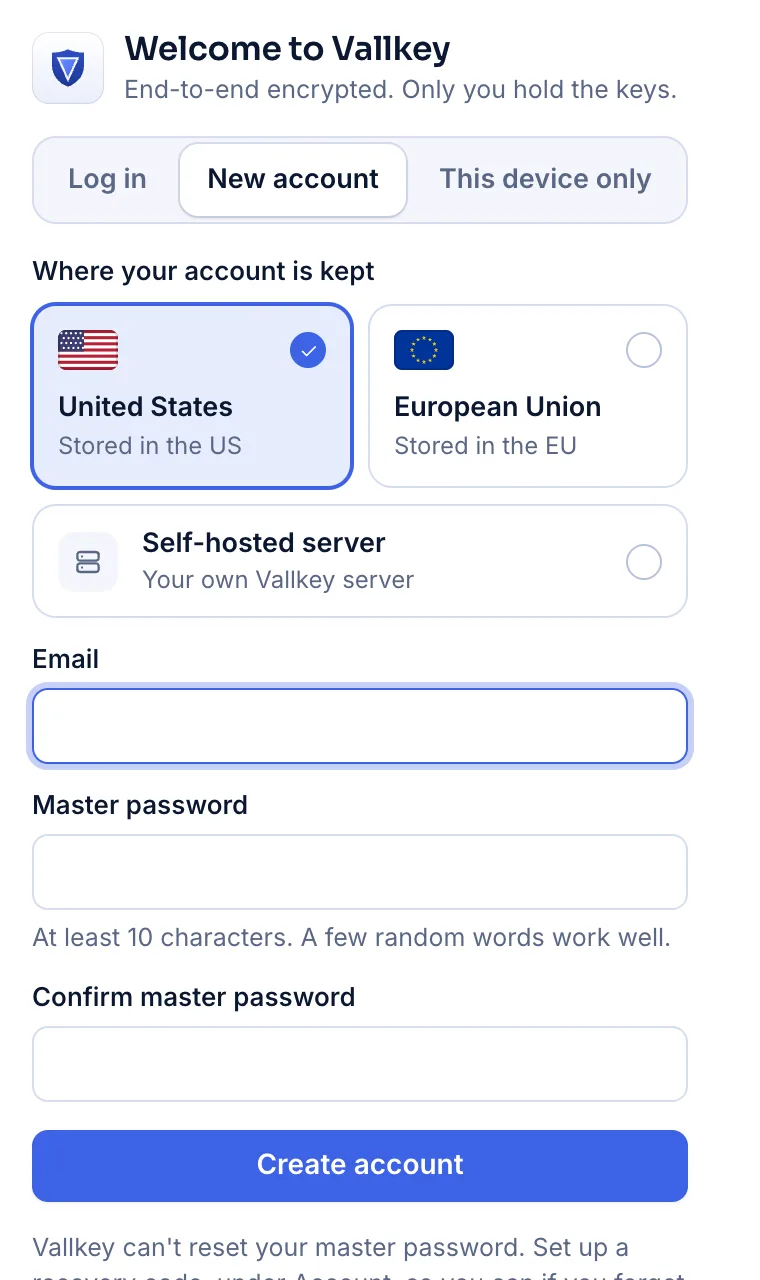
The browser extension's first screen: log in, make an account, or keep the vault on this device only.

Local-only vaults, step by step.

  1. Choose This device only

    On the first screen, beside creating an account. There's no email address to give and no server to name.

  2. Paste your license

    Choose a master password and paste the license. Vautir shows your Secret Key to save, with an Emergency Kit to print, as for any vault.

  3. Use it like any vault

    Every kind of item, the generator, Security and the breach check, one-time codes, passkeys, autofill, import and export, offline.

What careful people ask.

Sync through your own folder

On iPhone, iPad, Mac, Android, Windows and Linux, your devices can sync through a folder they share: iCloud Drive, Dropbox, OneDrive, Google Drive, Syncthing or a network share. Each device writes one encrypted file of its own, so the drive never has a conflict to settle.

No recovery

We can't reset your master password, and with no server there's no recovery code. Your Emergency Kit and your master password are the only way in, and the screens say so.

Back it up yourself

Without a sync folder, losing the device loses the vault. Export it as Vautir with files, or as a Credential Exchange file, and keep the file somewhere safe.

What needs a server isn't there

Sharing, families, legacy contacts, share links, Travel Mode, item history, files kept with items, and pairing your browser with the desktop app all need an account.

The license

A file Vautir signs, checked on your device, offline, once, when the vault is made. Opening the vault never asks for it again, so a lost license never locks you out.

Availability

Where you get it.

Plans
A local license, paid once
Platforms
Browser extension, desktop and phone apps

Questions

How much is the license?

It's paid once, not a subscription, and it's bought without making an account.

Can a drive read or change my vault?

It can't read it, and it can't make a file your devices will take. It could put an old file back or delete one: your other devices then keep what they hold.

Does the browser extension sync through a folder?

No. A browser extension can't reach a folder, so it keeps a local vault on that browser only. The desktop and phone apps sync through a folder.

Your passwords. Your keys. Your price.

Free forever for unlimited passwords and devices. No card needed.